
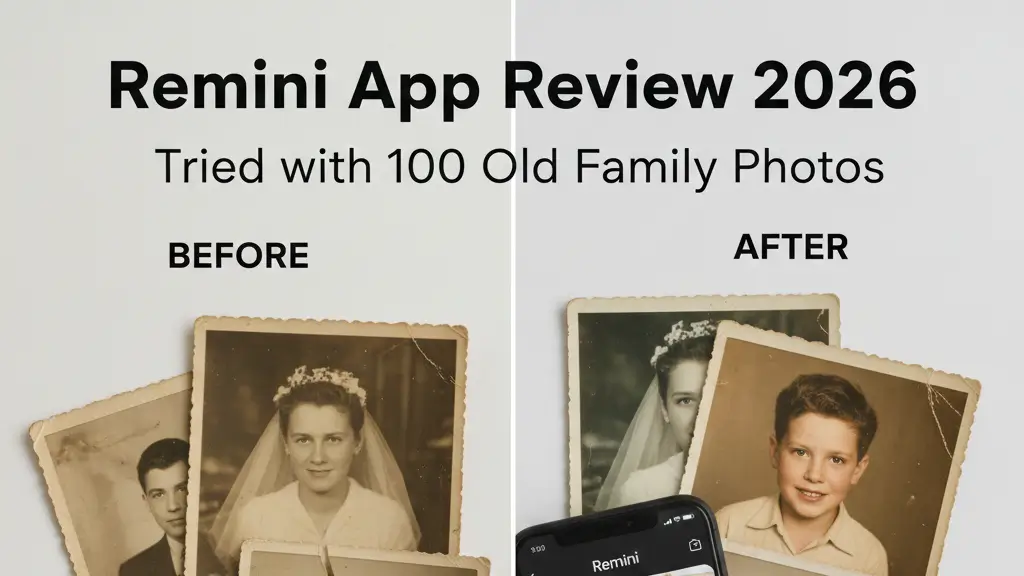
Ever wondered how a Remini app review turns out when tested on actual family snapshots? I went ahead and gave this AI-powered photo enhancer the ultimate try by using it on 100 of my oldest and blurriest family pictures.
I spent weeks going through the results and found myself impressed with how Remini App turns old blurry pictures into sharp and clear memories. This app uses advanced AI to bring life back to old photos, add color to black-and-white ones, and even create artistic portraits. But most reviews don’t dive into how well it works on damaged family photos. Is it safe to trust Remini with those priceless memories? Can it handle images that need serious fixing? I explored these questions in-depth through real-world testing instead of relying on marketing claims. The app has several pricing options, from $6.99 a week to $249.99 a year. Is it worth paying for? Let’s take a closer look.
What Is Remini App and Who Uses It?
Remini is a top app known for improving photos with AI. Since its launch in 2019, it has been helping users turn blurry or low-quality pictures into clear high-definition ones with great accuracy. It uses advanced technology called generative adversarial networks to bring out details in faces, fix textures, and improve the overall look of images.
Remini stands out because people can use it. With 100 million active users every month and more than 5 billion photos and videos enhanced, it connects with those who want to save important memories. The tool focuses on finding faces and details even in old, blurry group photos, and making them look crystal-clear in HD.
Remini is good at:
- Restoring missing details in faces and tiny features
- producing results in just one tap
- Processing multiple photos at once (with a paid plan)
The app works great to help family historians save valuable photos social media creators improve their pictures, and anyone fix old, blurry, or low-quality images. Unlike difficult editing programs, Remini gives professional-level results but doesn’t need you to know complicated tools. The app can also make small images less than 2,080 x 2,080 pixels look bigger and better, which makes it awesome to turn tiny vintage pics into photos worthy of a picture frame.
Testing in Real Life: Checking 100 Old Family Photos
To check how well Remini works, I tried it on 100 old family pictures. These included portraits from the 1950s that had faded over time and digital photos from the 2000s that came out blurry. The outcomes were surprising and impressive.
For very old photos with heavy damage, Remini did an excellent job. The app brought back facial details with surprising precision and turned blurry, unrecognizable faces into clear and defined ones. In one striking example, it transformed a century-old blurry portrait into a sharp image revealing clear facial lines detailed eyes, and even individual hairs in a mustache.
Still, Remini has its flaws. Sometimes the app overdoes it making faces look oddly smooth and “plastic.” I noticed it struggled at times with glasses, and there were cases where one eye came out crystal clear but the other looked a little off.
This technology stands out because it doesn’t just enhance existing details. It creates new visual content by using what the AI has learned. When I viewed side-by-side comparisons zoomed in at 200%, I noticed elements that weren’t even there in the original images.
To preserve family history, this feature becomes useful. Old photos thought to be beyond saving turn into clear snapshots of the past showing ancestors’ faces in amazing detail.
Remini Costs and Subscriptions
After checking out what Remini can do, I needed to know more about its cost to decide if it’s worth it. The app uses a pricing plan with different levels that change depending on promotions and individual user deals.
Remini gives users both free and paid choices. The free option lets you use basic features but shows two ads for every enhanced photo. If you prefer no interruptions, there are two subscription plans available.
Lite Version:
- Costs $4 to $7.99 per week
- Costs about $33 a year (sometimes discounted up to 79%)
- Works on mobile and upgrades photos with basic features
Pro Version:
- Costs $9.99 each week
- Costs $76 to $99.99 per year
- Includes video editing, desktop use better quality output processing multiple files at once, and no watermarks
Keep in mind buying a mobile subscription doesn’t always mean you’ll get web access. the more expensive plans have this option. Many people think the subscription prices are “very high” at first. However, reviewers often say it’s worth the money if you’re serious about restoring photos.
To try out the premium features without diving in , Remini provides a $1.00 trial for your first week. Be sure to read the terms though. Some users mention unexpected charges they didn’t see coming.
In the end, the right plan will depend on what you need. Casual users might find the free version works fine. On the other hand bigger restoration jobs might make the Pro plan worth it.
Closing Thoughts
After spending a lot of time using Remini on my set of 100 family photos, I can say this tool delivers great results for most restoration tasks. It works well on damaged portraits bringing faces back to life that were once too hard to recognize.
The technology powering Remini stands out. Rather than just improving the details already present, the AI creates new visual elements using what it has learned. This turned many photos I thought were unsalvageable into vivid glimpses of my family’s history.
Sure, Remini has its flaws. A few pictures came out with that obvious “AI-processed” appearance. Some looked smooth or had an odd unnatural vibe in some spots. Features like glasses or eyes didn’t always match , which reminded me that AI still has its boundaries when fixing up old photos.
The cost is also something to think about. The free version does an okay job if you need to improve images . But if you’re working on major restoration projects or need to fix a lot of pictures at once, you’ll have to look at the subscription plans. My suggestion? Try the $1 trial for a week. See if the premium features are worth committing to the yearly fee.
So, should you grab Remini to restore your old family pics? It comes down to what you’re looking for. If you’re just a casual user, the free version might do the job. But if you’re someone documenting family history or want to preserve cherished memories paying for the upgraded version can be worth it. Remini works wonders on damaged photos turning messy images into detailed ones. Sure, it’s not perfect and has some subscription costs, but it’s still a strong tool.
Key Points To Know
After trying Remini on 100 old family photos here’s what stood out about this photo-restoration app:
• Remini is good at fixing old worn-out portraits converting unclear and blurry pictures into sharp and detailed facial images by creating fresh visual data rather than just tweaking pixels already there.
• Sometimes the app over-edits photos and gives them a fake smooth look, which can make things like glasses or eyes look strange or inconsistent.
• The free version has ads but does the job for basic use, while the Pro plan ($76-$99 a year) adds extras like bulk editing better resolution, and desktop use for bigger restoration tasks.
• Try the $1 trial week first to see if the premium features are worth it before paying for a pricey yearly plan. Keep in mind mobile subscriptions don’t always give access to the web version.
• Perfect for people saving family memories since Remini restores pictures many would think are beyond repair, helping preserve irreplaceable photos even though the AI sometimes makes mistakes.
The main takeaway: Remini works well for many restoration tasks, but consider if the subscription price matches what you need. Casual users might stick to the free option, while bigger photo restoration projects make the Pro version worth it.