
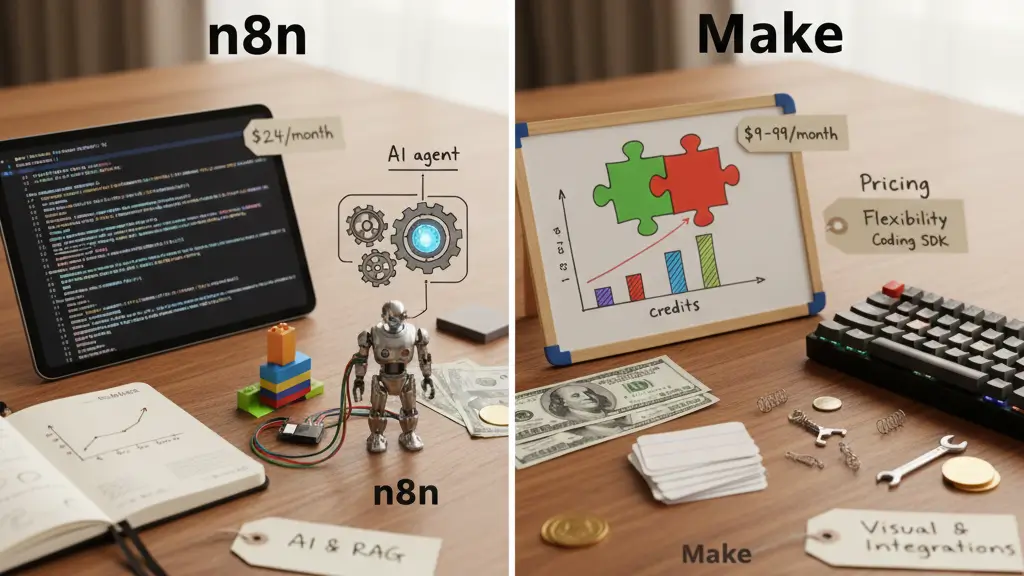
Trying to decide between n8n vs Make as your automation tool? n8n once known as “nodemation,” might be newer in the automation world, but it has shot to the top in popularity even beating out tools like Zapier and Make in search trends. Make, a major player since 2016, has led advancements in automation, but n8n offers strong competition with its flexible open-source workflow builder that you can host yourself.
When you look at n8n versus Make, their differences go deeper than just how they look. Make gives beginners an easy-to-use drag-and-drop interface filled with colors. On the other hand, n8n leans towards being more developer-focused. This big difference shapes the n8n versus Make comparison. Make puts complexity into its visual interface with more clicks and connection lines. Meanwhile, n8n moves that complexity into writing code offering more control but making it harder to learn. Their pricing is also quite different. n8n charges based on executions no matter how complex the workflows are. Make however, ties its price to the number of specific actions it carries out.
In this detailed comparison of n8n and Make, we’ll look at everything like their visual tools, AI features, pricing, and how flexible they are. If you’re trying to choose between n8n and make.com for your own use or business needs, we’ll help you figure out which one suits your automation goals better.
What These Platforms Are About and Their User Interfaces
The main distinction between n8n and Make lies in how they’re designed at their core. n8n gives you better coding control with more decision-making options, while Make relies on its visual interface with lots of clicks and connections.
How Their Visual Builders Work: Drag-and-Drop or Using a Node Canvas
Make uses a visual builder that looks like a flowchart, with bright modules linked together step by step. The canvas lets you view the whole workflow showing all modules, paths, and decision points . This interface, which looks like a mind map, arranges modules and feels easy to use right away for most people.
On the other hand, n8n has a node-based canvas that seems more technical but offers more options. The free-form design lets you place nodes anywhere and link them with lines giving you full control of your workflow’s layout. This style makes it simpler to manage complex branching, set conditional rules, and use multiple triggers in one workflow. Also, n8n’s visual environment works like a flowchart and shows how your automation runs step by step.
A big difference is how the two handle workflows. Make works well for simple, step-by-step tasks but gets tricky when things become more complex. On the other hand, n8n seems complicated at first, but it manages to handle advanced workflows better. It can work with branching options and layered logic.
Learning Curve: Easy for Beginners vs Built with Developers in Mind
Make is promoted as a strong SaaS tool that’s simple for anyone to start using. The interface is built to be user-friendly. It includes step-by-step setup guides, hints, and clear visuals so even people without technical skills can get up to speed. Many users manage to create their first workflows in just a few minutes or a couple of short practice sessions.
n8n leans toward being more friendly for developers within the no-code platforms. It comes with a steeper learning curve and assumes users know JSON, data structures, APIs, and basic programming ideas. Many new users spend their first week trying to figure out how nodes function and how to move data between different steps.
This key distinction highlights the intended audience for each platform:
- Make focuses on “To work for everyone” with a polished ready-to-use business solution.
- n8n takes on a “Created by developers for developers” vibe through its open-source roots and community-driven growth.
Workflow Navigation and Interface Response
Talking about workflow navigation, n8n stands out because it lets you see the flow logic in action. You can click on any node at any moment and view the raw JSON data passing through it. There are no hidden processes. This clear design simplifies debugging since you can clearly track how the data changes at every step.
Make lets you run scenarios live with a visual replay and built-in tools to handle data parsing. However, as workflows become more advanced with multiple branching paths, some users find it tricky to merge those branches back into one single path.
After using it for a while many developers say they like n8n’s layout and tools better. They find it simpler more organized, and a stronger option to build workflows. Features like partial executions and step-by-step workflow checks seem to make it stand out. The most common criticism of n8n’s interface is the fact you cannot drag the view area of the workflow screen while editing.
AI Features and Automation Smarts
The competition around AI tools is a key factor in the ongoing debate between n8n and Make. Both tools let users add AI to their workflows, but how they handle automation and the options they bring in 2026 are quite different.
AI Components: Ready-Made Modules or Tailored Decision Units
n8n presents itself as a platform built with AI at its core offering more than 70 nodes centered around AI. It highlights the use of “AI agent” workflows as a major factor in its recent success. These AI agents act as decision makers in various business tasks by enabling AI models like GPT-4 to pick the right tools to handle requests. Unlike just reacting to prompts, n8n’s AI agents play an active role in choosing and using tools inside workflows.
Compared to others, Make uses a modular system with its MCP Server to create reusable AI agents. It includes features like an AI Assistant to help build workflows using natural language. It also provides ready-made modules for OpenAI, Google AI, Azure AI, and ElevenLabs. Even with these abilities, Make seems to view AI as an extra feature, not its main purpose. This makes it better for basic AI tasks rather than handling complicated agent coordination.
RAG and Contextual Memory: Built-in and Manual Setup
n8n stands out in Retrieval Augmented Generation (RAG) by offering built-in tools to connect with vector databases and retrieve knowledge. Its visual builder simplifies tasks like ingestion chunking, embedding, and retrieving all within one platform. You can also use n8n to evaluate RAG in detail with methods such as string similarity or custom metrics to assess how relevant a document is.
On the other hand, Make provides a straightforward file-based context option for AI agents. It works fine for simpler setups but falls short when it comes to handling complex needs like advanced memory use tracking the state of workflows, or creating feedback loops between steps.
Access to Tools and Working with LLMs
n8n works with many LLM providers. It offers over 70 AI-specific nodes that connect to services like OpenAI, Hugging Face, Google AI, Anthropic, and local LLMs through Ollama. It also allows users to use LangChain making it easier to set up more advanced AI workflows. You can link it with almost any unique or private AI model.
On the other side, Make connects to popular AI platforms using pre-built apps or custom API calls made through webhooks. This method is fine for simpler setups, but it becomes tricky to manage when you need to scale up or address issues like debugging or dynamic branching.
Simply put, n8n creates a space that developers can use to build advanced AI workflows with personalized logic and systems that involve multiple agents. On the other hand, Make focuses on ease of use with a visual design aimed at business users looking to create simpler AI setups.
Costs and How They Scale
Figuring out the pricing gap between n8n and Make helps you decide which one offers better value for the automation tasks you need. The way they charge reflects their different ideas about what users should pay.
Pay-Per-Execution vs Credits-Based Pricing
The main difference in pricing lies in how each platform tracks usage. n8n calculates costs based on workflow executions. This means one complete workflow run, no matter if it’s a basic two-step process or a huge 200-step AI-based task, is treated as a single execution.
Make, on the other hand, switched its billing model from something called “Operations” to a “Credits” system. Each individual action in a workflow now uses at least one credit. If your workflow processes hundreds of records and has many steps, it can drain your monthly credit limit. When Make changed to credits in August 2025, it introduced a system where credits usage varied. AI-heavy or resource-demanding modules, for instance, might use more credits because of factors like token counts or processing duration.
Free Options: Hosting Yourself vs Basic Cloud Plans
You can use the self-hosted Community Edition of n8n free without paying any license fees. The only expense is the server’s infrastructure, which costs around USD 5.00 to 10.00 per month for a basic setup. If you prefer using the cloud, n8n offers a starter plan costing €20 monthly (about USD 24.00) and includes 2,500 workflow executions.
Make, on the other hand, provides a free cloud plan allowing 1,000 operations each month, which is more for testing. Their paid plans start at USD 9.00 per month and allow 10,000 operations or credits. This starts off as a more budget-friendly option compared to the n8n cloud plans.
Cost at Scale: 10,000+ Runs per Month
When automation scales up, cost differences stand out. Running a 10-step workflow 1,000 times in a month with n8n stays at USD 20.00 per month for 1,000 executions. In comparison, Make would need 10,000 operations for the same workflow costing between USD 9.00 and 16.00 .
If you run a 50-step workflow 1,000 times in a month, n8n charges a fixed price of USD 20.00 per month. On the other hand, Make costs at least USD 99.00 per month for 50,000 operations. For smaller operation volumes, Make tends to be cheaper than n8n’s cloud version. But as workflows become more complex, Make’s cost rises .
Extra Costs: Polling, AI Tokens, and Storage
Apart from subscription fees other hidden costs can add up. Self-hosting n8n means you have to handle servers, backups, security, and monitoring. These extra operations can cost an additional USD 50.00-150.00 , not including the time and effort for upkeep.
In Make, users face extra costs from polling modules that check for updates, restrictions on storing data at 1MB per 1,000 actions, and the way AI-related tasks consume differing amounts of credits. Each piece of data pulled from external sources uses up a credit, so workflows involving large amounts of data can get very expensive.
Flexibility Support for Coding, and Scalability
When you look at how n8n and Make compare in terms of customization for developers, the ability to use coding stands out as a major point for tech teams and businesses aiming to set up advanced automations.
Coding with JavaScript or Python in n8n Compared to No-Code Use in Make
n8n builds its flexibility around custom coding. Users can create and run their own JavaScript or Python code during any workflow step. This coding-first design makes it possible to:
- Change and work with data by using programming languages they already know
- Add unique logic without being tied down by platform restrictions
- Use the expression editor to reach data created in earlier stages
On the other hand, Make depends on its own built-in formulas and functions instead of standard coding tools. Even developers need to learn Make’s unique syntax instead of using the programming skills they already have. Plus, JavaScript is available with Enterprise plans.
Custom Nodes and Developer SDK
n8n lets users design and use their own custom nodes when pre-made connectors don’t fit their needs. Its open setup makes it possible to connect almost anything with an API, whether it’s a fresh AI tool or a private database.
Make takes a different route by using its developer portal to build new app connections. Its focus leans more towards using pre-designed modules than allowing deep customization giving priority to visual design instead of coding freedom.
Error Handling: Central Triggers vs Individual Module Configurations
n8n takes a universal route to handle errors. It lets users set up specific workflows that activate whenever an execution fails. These workflows use an Error Trigger node gathering all the needed error information in one place to make tracking and handling problems easier.
, Make needs users to handle things when it comes to setting up error handlers. Users have to attach these handlers to every single module that might fail. This setup can make maintaining larger workflows harder.
Detailed Features: Loops, Merges, and Wait Times
Both tools handle complex flow controls, but they do this in their own ways. n8n uses Loop Over Items nodes to manage repetitive tasks. These are useful to handle API limits or prevent memory issues by processing data in batches.
n8n also does a better job at creating workflow branches and merging them. It lets users map out and manage complicated paths in a workflow. On the other hand, Make finds it challenging to bring branches back into one clear path as workflows increase in size.
Considering these points, n8n attracts tech teams that need extensive customization. On the other hand, Make works well for users who prefer intuitive visuals and minimal coding.
Integrations, Hosting, and Ecosystem
Apart from features and prices, the setup around automation tools plays a big role in how useful and business-ready they are. Comparing n8n and Make highlights key design differences in their structure.
Built-In Integrations: Over 3,000 in Make Compared to 1,200+ in n8n
Make has over 3,000 built-in integrations with pre-designed modules for many well-known services. On the other hand, n8n provides around 1,200+. However, n8n makes up for this by offering universal connectors like REST APIs GraphQL, and webhooks. These allow users to link almost any service even if there is no direct integration available. , n8n lets users contribute their own connectors to its library, which helps its network keep growing.
Options for Self-Hosting Using Docker VPS, and Git
n8n stands out the most because you can self-host it, while Make is available in the cloud. Running n8n on your own server costs around $5 to $10 each month for the setup. You can set it up using Docker (the preferred method) npm, or on a VPS. The self-hosted Business plan also includes Git versioning to manage workflows. On the other hand, Make is built on AWS servers, either in Virginia or the EU.
Community Templates and Developer Contributions
Both platforms rely on community resources. Make offers more than 7,900 community templates, while n8n provides over 6,700 templates. With a community forum of 40K+ members, n8n ensures users get support for troubleshooting. It also builds on an open-source base promoting contributions through GitHub.
Security and Compliance: SOC2, GDPR, and Data Residency
Security-focused organizations can rely on n8n’s alignment with SOC 2 standards, as it undergoes yearly independent audits. To ensure compliance with GDPR, n8n Cloud operates on Microsoft Azure servers located in Frankfurt keeping European data within residency boundaries. Hosting n8n on your own servers provides specific benefits to industries with strict regulations that require full control over their data. While Make is a managed platform, it still holds both GDPR compliance and SOC 2 Type II certification.
Comparison Table
Comparison Table
| Feature | n8n | Make |
|---|---|---|
| Interface & Design | ||
| Visual Builder Type | Node-based canvas with free-form placement | Flowchart-style with colorful modules |
| Target Audience | Developer-oriented | Beginner-friendly |
| Learning Curve | Steeper, requires technical knowledge | Easy for anyone to pick up |
| AI Capabilities | ||
| AI Nodes/Integration | 70+ AI-focused nodes | Pre-built modules for major AI services |
| RAG Support | Built-in support with vector databases | Basic file-based context |
| AI Agent Implementation | Advanced AI agent flows with decision-making | Modular approach through MCP Server |
| Pricing Structure | ||
| Billing Model | Per workflow execution | Credit-based (per action) |
| Starting Cloud Price | €20/month (~$24) | $9/month |
| Free Option | Free self-hosted Community Edition | 1,000 operations monthly (cloud) |
| Customization | ||
| Code Support | JavaScript and Python snippets | Limited to Enterprise plans |
| Custom Components | Can create custom nodes | Developer portal for app integrations |
| Error Handling | Global error workflows | Per-module setup required |
| Infrastructure | ||
| Hosting Options | Self-hosted or cloud | Cloud-only (AWS) |
| Native Integrations | 1,200+ | 3,000+ |
| Templates Available | 6,700+ | 7,900+ |
| Security Certifications | SOC 2 compliant | SOC 2 Type II certified |
Conclusion
The choice between n8n and Make centers on their unique methods of handling automation. n8n focuses on being a platform that appeals to developers putting more complexity into coding and giving tech-savvy users more control. Make, on the other hand, highlights its simple and colorful visual interface, which works well for beginners and business users who enjoy drag-and-drop tools.
Each platform delivers value to its audience, but they take opposite paths to do so. n8n shines with its node-based design strong AI features, and the ability to customize using JavaScript or Python. Its pricing structure based on execution, proves to be more budget-friendly when dealing with workflows that have many steps. Organizations with strict data-control needs can also benefit from the self-hosting option it provides.
Make impresses users with over 3,000 native integrations and a simple interface that lets beginners set up automations fast. But its credit-based pricing can get pricey as workflows grow more complex with data-heavy tasks.
Deciding on the right platform depends on a few key points. Teams with technical skills who want customization, the ability to manage AI agents, or self-hosting options might find n8n a better pick. On the other hand, business users who prioritize ease of use visual design, and tons of pre-built integrations may lean toward Make even though its costs can add up.
The gap between these automation tools gets smaller as they advance. n8n keeps growing its list of integrations , and Make focuses on improving its AI features. Despite this, their main ideas stay unique. n8n gives developers code-first control, while Make appeals to those who like using visual tools.
So, picking the right one depends on what you need how tech-savvy you are, and how much you are willing to spend. Both tools are strong in automation and can change the way you manage your workflows, though they go about it in very different ways.
Main Points
To choose between n8n and Make to automate tasks, it is important to know their key differences. This will help you pick the one that fits your tech skills and budget better.
- n8n appeals to developers by including features like support for JavaScript and Python, along with workflows that use a node-based structure. In contrast, Make focuses more on beginners with its simple and driven drag-and-drop approach.
- Pricing works differently: n8n charges based on workflow executions, no matter how complex they are, which makes it affordable for tasks with multiple steps. On the other hand, Make uses a credit-per-action pricing model that can become costly.
- n8n provides self-hosting options that allow full control over data and infrastructure. Meanwhile, Make sticks to cloud-solutions but boasts over 3,000 native integrations compared to n8n’s 1,200+.
- n8n stands out in AI features. It provides over 70 AI nodes and includes built-in RAG support to handle advanced agent workflows. Make, on the other hand sticks to simpler AI integrations using pre-made modules.
- Pick n8n if you have a technical team that requires customization, control over AI workflows, or data privacy. Go with Make if your focus is on easy-to-use visuals and a variety of pre-built connectors.
Your choice will depend on whether you value flexibility for developers with lower costs (n8n) or ease of use with ready-to-go integrations (Make).